
Duplicates
and the review queue.
A web form is public: anyone can type anyone's e-mail address or phone number into it. Form Bridge therefore never overwrites what an existing record already has, never changes an existing record's e-mail address, and sends uncertain matches to a person.
01When is a record "the same"?
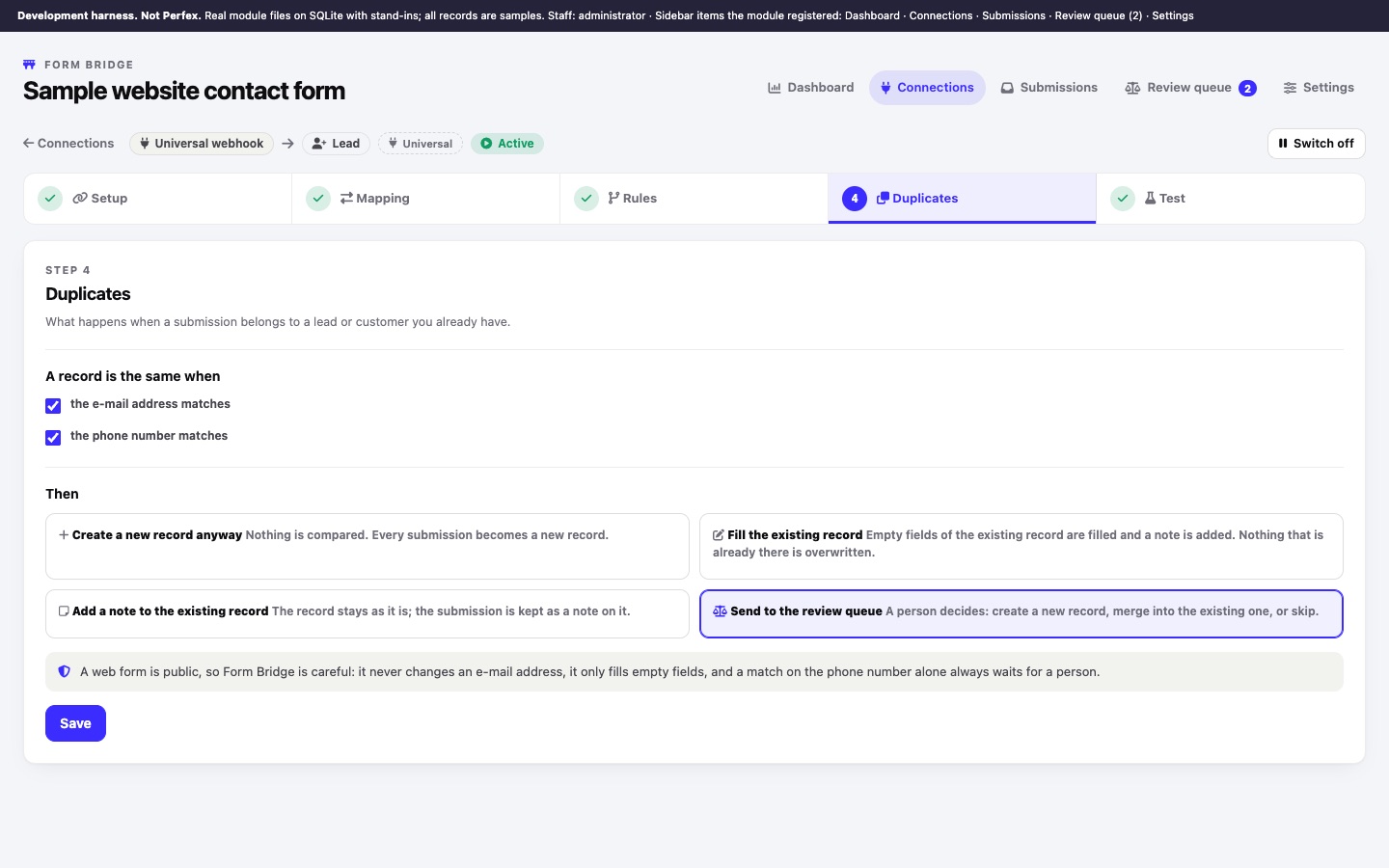
On the connection's 4 Duplicates step, under A record is the same when:
- the e-mail address matches (on by default). For leads, the lead's e-mail; for customers, the e-mail of any of the customer's contacts.
- the phone number matches (off by default). Common spellings of the same number are found (
+421 900 …,00421900…,421900…). For customers, a contact's phone or the company phone.
The values compared are the mapped ones (E-mail and Phone, or Contact e-mail and Contact phone). A submission without either never matches. When several records match, e-mail matches come first.
02What happens then
| Then | Match on the e-mail address | Match on the phone number only |
|---|---|---|
| Create a new record anyway | Nothing is compared; every submission becomes a new record. | |
| Fill the existing record | Empty fields of the existing record are filled (custom fields too), tags are added and a note is added. Nothing that is already there is overwritten. Submitted values that were not applied are listed in the note. | Goes to the review queue; nothing is written until a person decides. |
| Add a note to the existing record | The record stays as it is; the submission is added to it as a note. This happens for e-mail and for phone matches. No field is changed. | |
| Send to the review queue (default) | Every match waits in the review queue for a person. | |
It never overwrites a value the record already has, and it never changes the e-mail address of an existing lead or contact (a contact's e-mail is their login to the customer area). Status, source and assignee of an existing lead are not changed either. A record is only filled automatically after an e-mail match; a phone-only match with "Fill the existing record" always waits for a person.
The text under the policies in the module says that a phone-only match always waits for a person. That is true for "Fill the existing record" and "Send to the review queue". With "Add a note to the existing record", a phone-only match adds the note to the matching record without asking. No field changes, but the note is visible on that record. If you match by phone and want a person to check every phone match, use "Send to the review queue".
When a submission updates an existing record, the log status is Updated. Staff notifications are sent for new records only.
03The review queue
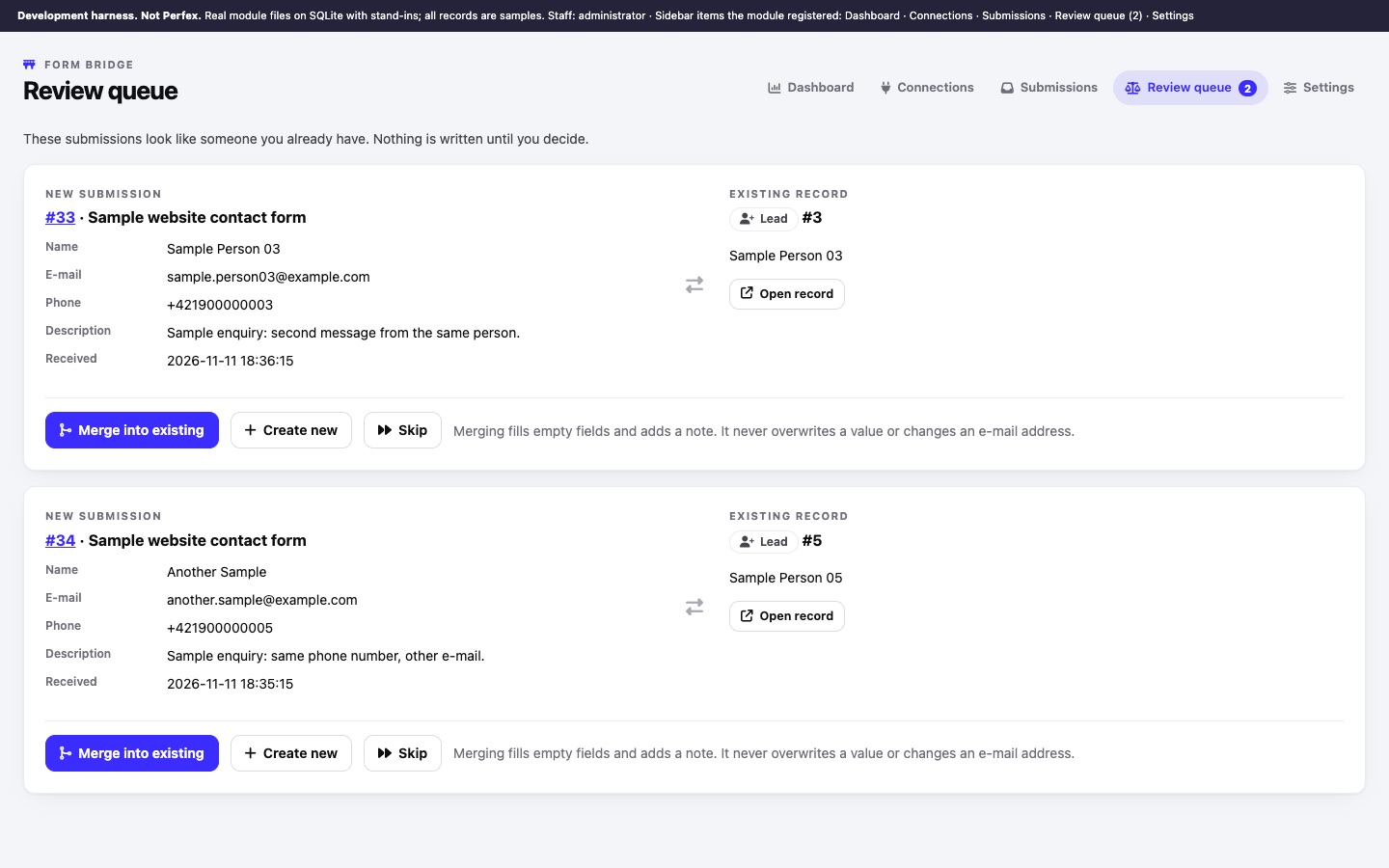
Form Bridge › Review queue lists the waiting submissions next to the existing record they look like. The menu item shows how many are waiting.
- Comparethe new submission (mapped values) with the existing record. Open record opens it in Perfex.
- DecideMerge into existing fills empty fields and adds a note; it never overwrites a value or changes an e-mail address. Create new creates a separate record. Skip creates nothing (status Skipped; you can still replay it later from Submissions).
Each item can be decided once; a second click on the same item does nothing. Every decision is written to the audit log. Deciding needs the "Edit connections, replay and decide" permission; staff with View only see the queue. An item nobody decides is closed as Skipped when the retention period removes its payload (see Privacy).
04Tickets
Tickets are never merged: every submission becomes its own ticket, and the Duplicates settings do not apply to a ticket connection.
A ticket is normally created with the name and e-mail address from the form, not linked to a customer. The Setup option Attach tickets to an existing contact with the same e-mail (off by default) links it to the contact with that e-mail address, but only when the request was verified: a valid signature (Webflow, Framer, Typeform, Tally, Google Forms) or a valid secret header. Requests accepted on the secret link alone are never linked to a contact, because anyone can type somebody else's e-mail address into a form and the ticket would then appear in that customer's account. Leave this option off for public forms.