
Submission log
and Save and replay.
Every request that passes the link, size and rate checks is logged before anything else happens, with its raw payload, the fields, what it became and, if it failed, why. A failed submission can be corrected and run again with one click.
01Statuses
| Status | Meaning | Replay? |
|---|---|---|
| Captured | Stored, waiting for a mapping. Nothing was created. | yes |
| Created | A lead, customer or ticket was created. The page links to it. | no |
| Updated | An existing record got a note (and, with "Fill the existing record", its empty fields filled). | no |
| In review | Waiting in the review queue. | no |
| Skipped | A person chose Skip, or the retention period closed it. | yes |
| Failed | Nothing was created; the reason is shown. | yes |
| Spam | Dropped: the honeypot field was filled in, or the e-mail domain is blocked. | yes |
02Find a submission
- Open Form Bridge › SubmissionsThe newest come first, 25 per page.
- Filterby connection, status and a date range (From, To).
- Searchfor an e-mail address, any text in the fields, the id the form tool sent, or an error message.
- Opena submission to see everything about it.
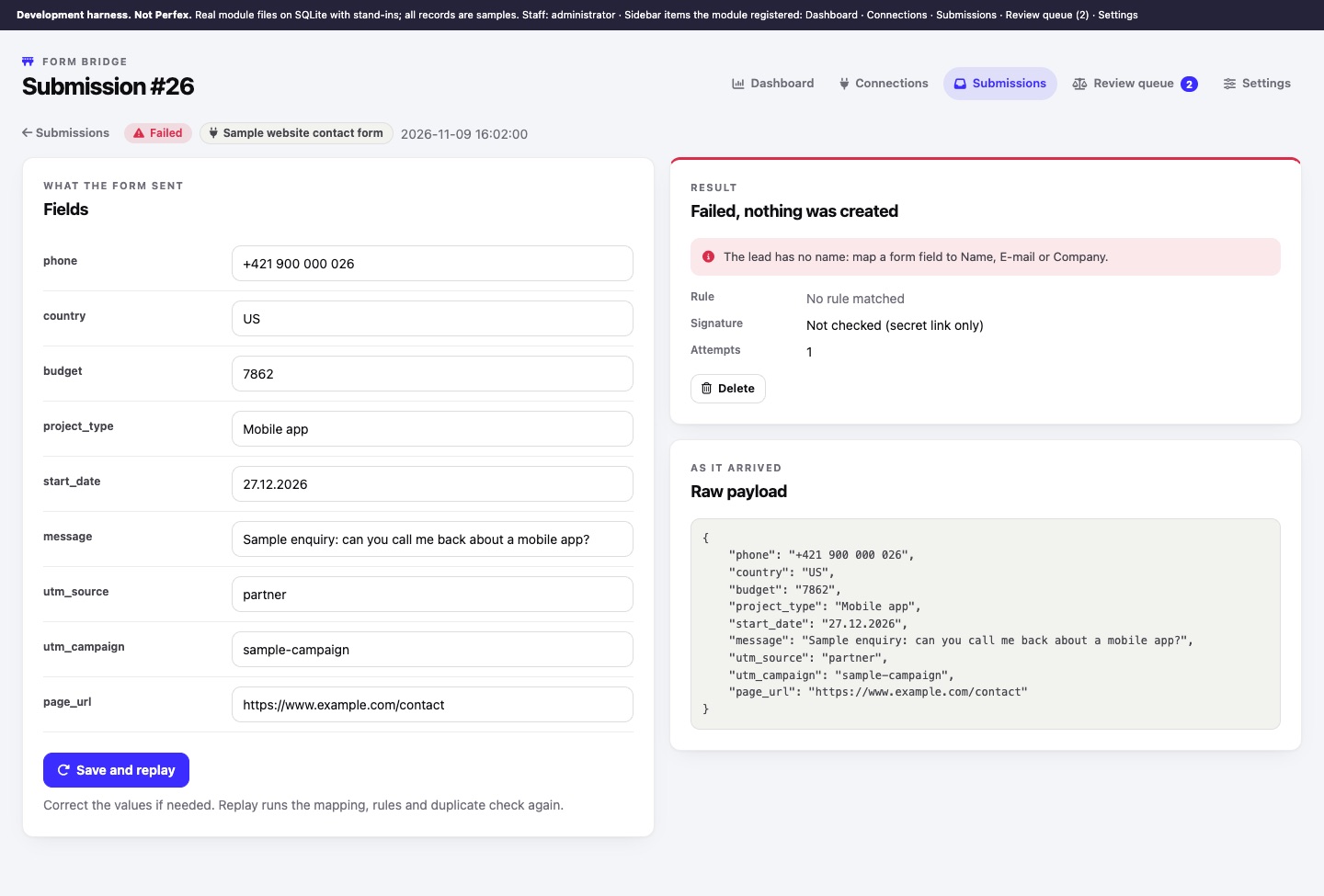
The submission page shows Fields (what the form sent), Result (status, error, the record with a link, the rule used, the signature check: Verified, Not checked (secret link only) or Failed, the id from the source, attempts and the next automatic attempt), the form name, page and time the tool reported, and the Raw payload as it arrived. Everything from the form is shown as text, never as HTML.
03Save and replay
- Read the errorfor example "The lead has no name: map a form field to Name, E-mail or Company."
- Fix the causeUsually the connection's mapping or Setup (lead status and source, ticket department). Or correct a value directly in the submission's Fields.
- Click Save and replayYour edits are saved and the submission runs through mapping, rules and the duplicate check again. The message shows the new status.
Replay is available for Captured, Failed, Skipped and Spam submissions whose payload has not been removed by the retention period. A replay skips the honeypot and blocked-domain check, because a person chose to run it. Each replay is written to the audit log.
04Automatic retries
When creating the record fails for a reason that may pass (for example the database was briefly unavailable), the Perfex cron tries again: the first retry after 5 minutes, then 30 minutes, then 2 hours, and 6 hours between any later ones, up to Automatic retries times (Settings, default 3, at most 10, 0 switches retries off). Problems that a retry cannot fix, such as a missing name or no lead status, are not retried: fix them and use Save and replay. Retries need a working cron.
05Repeated deliveries
Form tools sometimes send the same submission twice. Form Bridge recognises it and answers {"ok":true,"duplicate":true} without creating anything:
- tools that send their own submission id (Webflow, Framer, Typeform, Tally, Google Forms, Gravity Forms, Jotform, and others when you set Submission id field) are recognised at any time;
- for the rest, the exact same body arriving again within the Repeat window (Settings, default 24 hours) counts as one submission.
06Spam protection
- Honeypot field (connection Setup): the name of a hidden field people never fill in. A submission with a value in it is logged as Spam.
- Blocked e-mail domains (Settings): one per line. A submission whose e-mail address is on such a domain, or a subdomain of it, is logged as Spam.
- Rate limit and Largest submission (Settings) refuse floods and oversized requests before they are stored.
07Delete from the log
With the Delete permission, Delete on a submission removes it from the log. The record it created stays in Perfex. Deleting a connection removes its rules and its whole log; leads, customers and tickets it created stay.